


 Sell on Robu


In the last blog we discuss and see the hardware specification about NodeMCU, today in this blog we will be going to run NodeMCU on Arduino IDE.
Basically, NodeMCU is firmware based on Lua script. ESPlorer IDE is referred for writing Lua scripts for NodeMCU, So we require to get familiar with ESPlorer IDE and Lua scripting language. But there is another way to program NodeMCU with a well-known IDE called Arduino IDE. It makes things easy for Arduino developers than learning a new language and IDE for NodeMCU.
What is the LUA Script?
Lua is a powerful, efficient, lightweight, embeddable scripting language. It supports procedural programming, object-oriented programming, functional programming, data-driven programming, and data description.
Step by Step Process of Installation of NodeMCU Board.
Let's see about setting up Arduino IDE with NodeMCU
- First thing you need to download Arduino IDE from the Arduino.cc platform and then install.
- If you already have it, then it is great, the next thing to follow a path.
-
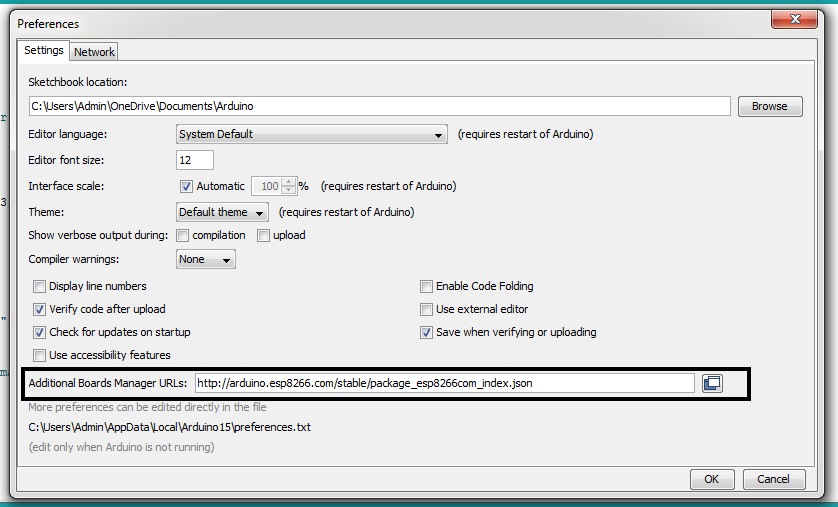
File -> preferences -> Additional board manager URL
And paste this URL: http://arduino.esp8266.com/stable/package_esp8266com_index.json
like this
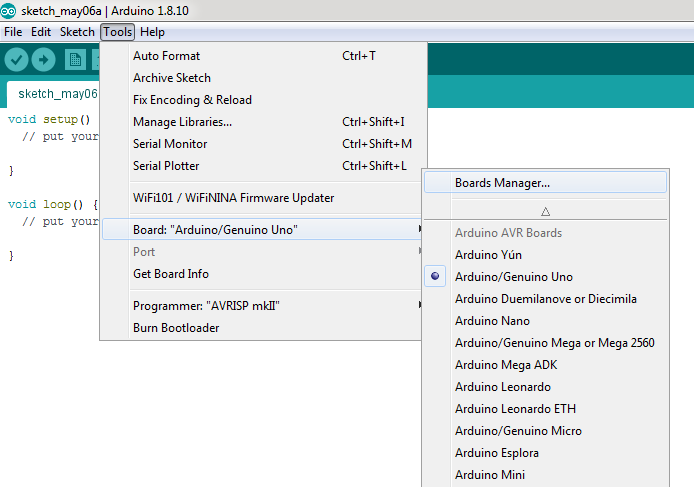
- Now close Preference window and go to Tools -> Board -> Boards Manager
- In Boards Manager window, Type esp in the search box, esp8266 will be listed there below. Now select latest version of board and click on install.
After installing ESP8266 board it will appear like this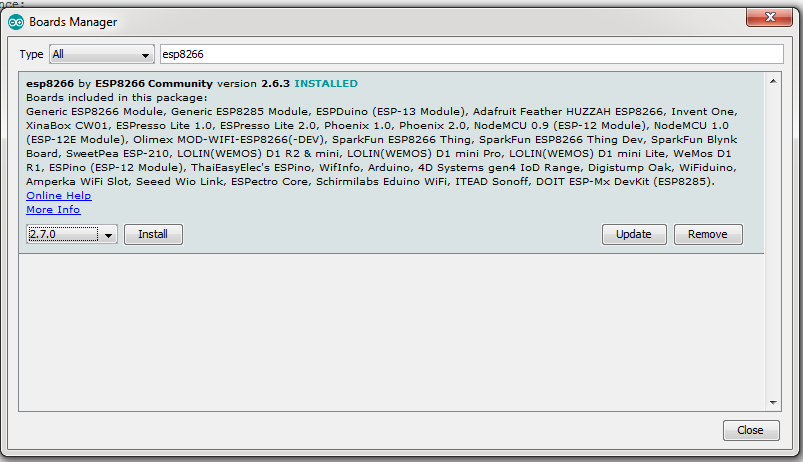
- After installation of the board is complete,open Tools -> Board-> NodeMCU 1.0 (ESP-12E Module).
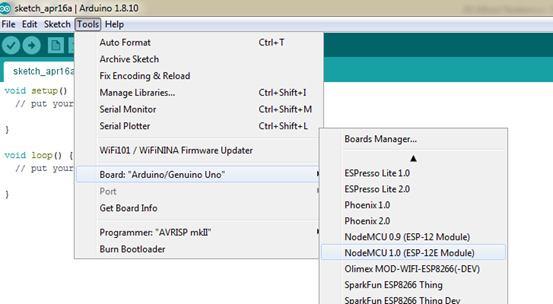
- Now your board installed completely on Arduino IDE
- Now Your Arduino IDE is ready for NodeMCU
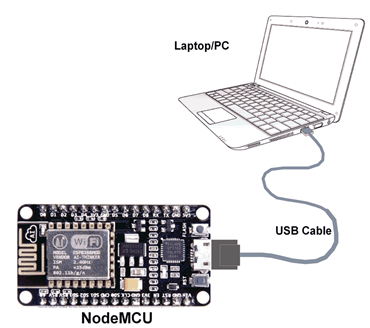
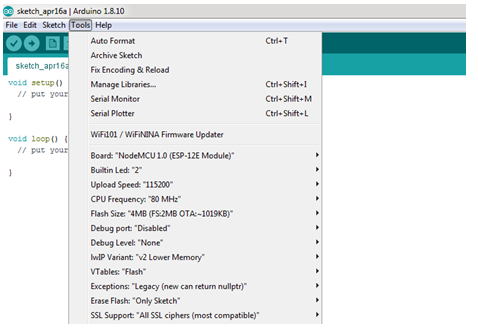
Now you can run multi-application code on NodeMCU and upload into NodeMCU, just Ensure that you have selected the correct board as shown in the below figure. Also, make sure that you have selected the appropriate COM port
I hope this article will find useful to you if you are a beginner in the IOT platform.For more information, you can also check on links below




Leave a Comment Your email address will not be published. Required fields are marked*